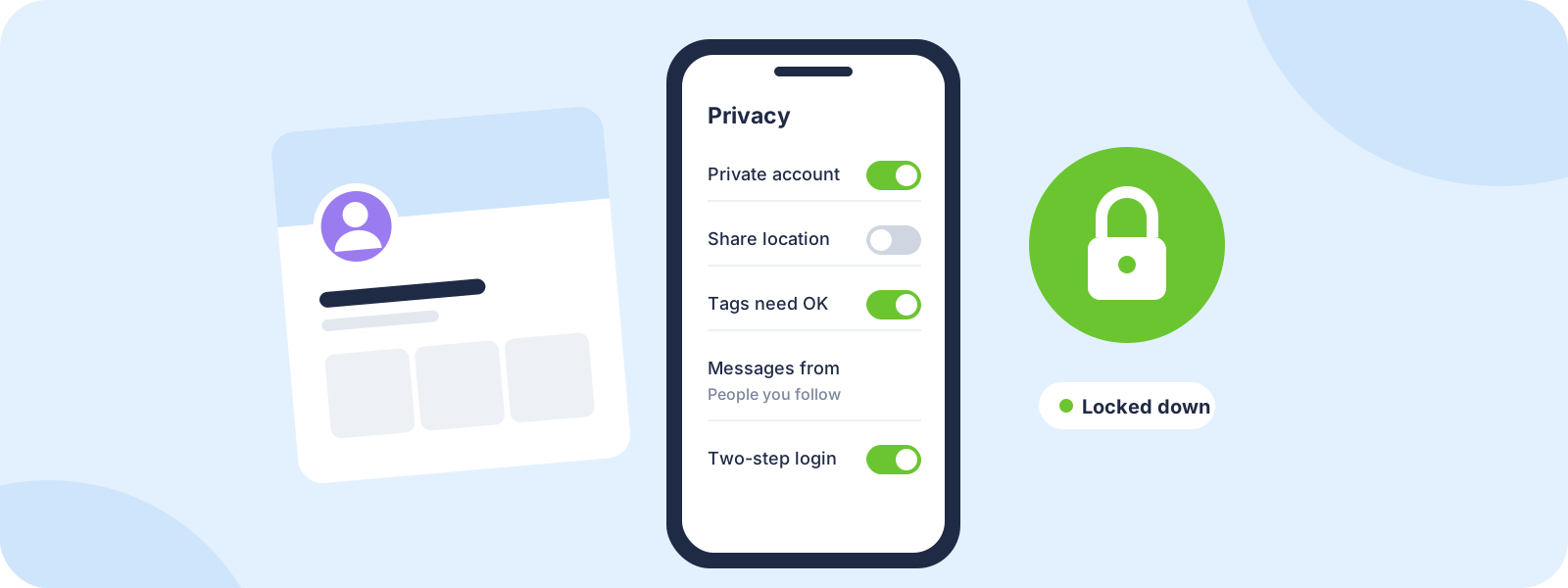
Step 1: Lock down your accounts
A hacked account is one of the most common ways private photos and messages end up public.
- Use a different password for every account, and a password manager to keep track of them.
- Turn on two-step verification. An authenticator app is safer than text message codes.
- Check where you're logged in. Most platforms list your active sessions in their security settings. Log out of anything you don't recognize, and devices you no longer use or share.
- Keep your recovery email and phone number up to date, so you can get back in if someone takes over your account.
- Remove old connected apps you no longer use from your account settings.
Step 2: Check your privacy settings
Go through the privacy settings on each platform you use, and decide:
- Who can see your posts, stories and followers list
- Who can tag you, and whether tags need your approval
- Who can message you or add you
- Whether people can find you by your phone number or email
Watch your location. Turn off location tagging on posts, avoid posting your exact location in real time, and be careful with photos that show your home, street or car plate. Photos can also carry location details in the file itself. Many phones let you turn that off in the camera or sharing settings.
Review old posts. Scroll back through what's public. Things you posted years ago can reveal more than you'd share today.
Step 3: Think before you share
- Anything you send can be saved. Screenshots, screen recordings and another phone pointed at the screen all get around "disappearing" messages.
- Private photos belong in private places. Keep intimate images out of shared cloud albums, shared devices and family accounts.
- Be wary of new contacts who move fast, ask for photos or want to switch to another app quickly. That's a common pattern in scams and sextortion.
None of this means it's your fault if someone misuses something you shared. The responsibility is always on the person who shares it without consent.
Step 4: Protect your content
If you create content, your posts are your work, and you own the copyright to them.
- Keep your originals, full size and dated, so you can prove what's yours.
- Watermark your best work with your handle in a spot that's hard to crop out.
- Check for reposts now and then with a reverse image search. Our reverse image search guide shows how.
Fake accounts using your photos
Fake profiles using someone else's photos show up on social apps, dating apps and in scams. If you find one:
- Screenshot the profile, including the username and URL.
- Use the platform's impersonation report, not a general "spam" report. Impersonation reports usually go to a specialist team.
- Ask friends or followers to report it too, and warn them not to engage.
Your posts reposted without permission
If someone reposts your photos or videos without permission, that's copyright infringement, and you can ask the platform to remove it. Where people get stuck: each platform asks for different details, small mistakes get reports rejected, and reposts can spread to new accounts and websites faster than you can report them. Our team can handle it for you, or Protection Pro ($10 a month) includes the DIY Takedown Toolkit if you'd rather do it yourself. If your content ends up on other websites, see our guide on getting stolen content removed from a website.
Harassment and bullying
- Don't engage. Replying often feeds it.
- Use the tools: block, mute, restrict, limit comments and filter keywords.
- Save evidence first. Screenshot posts and messages, with usernames and dates, before you block or report. Blocking can hide the evidence from you.
- Report it to the platform as harassment.
If it's repeated, threatening or follows you across platforms, read our cyberstalking and online harassment guide.
Sextortion and blackmail
Sextortion is when someone threatens to share intimate images unless you pay or send more. It often starts with a new contact who seems friendly and moves fast.
If it's happening to you: stop replying, don't pay and don't send anything else. Save the messages and the account details, then report the account to the platform and to the police. Paying rarely makes it stop.
If you're under 18, or the images were taken when you were, tell a trusted adult. The National Center for Missing & Exploited Children runs a free service called Take It Down that helps stop images spreading on participating platforms.
For parents
- Talk early and often, before there's a problem. Keep it calm and practical.
- Make it safe to come to you. Kids who fear losing their phone or getting in trouble often hide problems until they're worse.
- Set up privacy settings together on each app they use, and revisit them now and then.
- Explain sextortion and fake profiles in plain terms: anyone asking for photos or pushing for secrecy is a warning sign.
- If something happens, don't forward or save explicit images of a minor, even as evidence. Report it to the platform and the police, and use the Take It Down service mentioned above.
If it's getting to you
Online abuse can take a real toll. Talk to someone you trust. In the US, you can call or text 988 any time to reach the 988 Suicide & Crisis Lifeline. If you're in immediate danger, call 911 or your local emergency number.
How DMCA.com can help
Prefer to hand it off? Here's how our team can take this on for you.
- We remove stolen photos and videos, leaked intimate content and fake accounts using your images
- A real person reviews your case and handles it privately
- Standard takedowns are $199 per site, with a money-back guarantee on qualifying standard cases
- Prefer to do it yourself? Protection Pro ($10 a month) includes the DIY Takedown Toolkit: notice templates and host lookup tools
Common questions
Do I own the photos I post on social media?
Yes, if you took them. Platforms get permission to display what you post, but you keep the copyright. That's why you can report reposts as copyright infringement.
Are disappearing messages safe for private photos?
Not completely. The other person can still screenshot, screen record or photograph the screen. Only send what you'd be OK with them keeping.
Someone made a fake account with my photos. What do I do?
Screenshot it, then report it with the platform's impersonation report. Ask friends to report it too. If the platform doesn't act, a takedown service can help.
Should I block someone who's harassing me?
Save evidence first, because blocking can hide their messages from you. If the harassment is threatening or comes from someone you know, think about your safety and talk to someone you trust before you block.
Someone is threatening to share my nudes unless I pay. Should I pay?
No. Stop replying, save the messages, and report the account to the platform and the police. Paying rarely ends the threats.
JL
About the author
Julie Lyle is the Takedown Manager at DMCA.com, where she oversees professionally managed takedown cases, including impersonation, harassment-related and intimate image removals. More about Julie